
Add-on: o que é e como usar para expandir a receita de um SaaS
Por Tiago Costa · Atualizado em 9 de julho de 2026

Definição
Um add-on é um módulo, recurso ou capacidade cobrado além do plano base de um SaaS, como assentos extras, armazenamento ou um recurso premium avulso.
- Aumenta o ARPA sem o cliente trocar de plano.
- É expansão dentro do mesmo produto, vizinha do cross-sell.
- Deixa a precificação modular: o cliente monta o pacote.
O que é um add-on
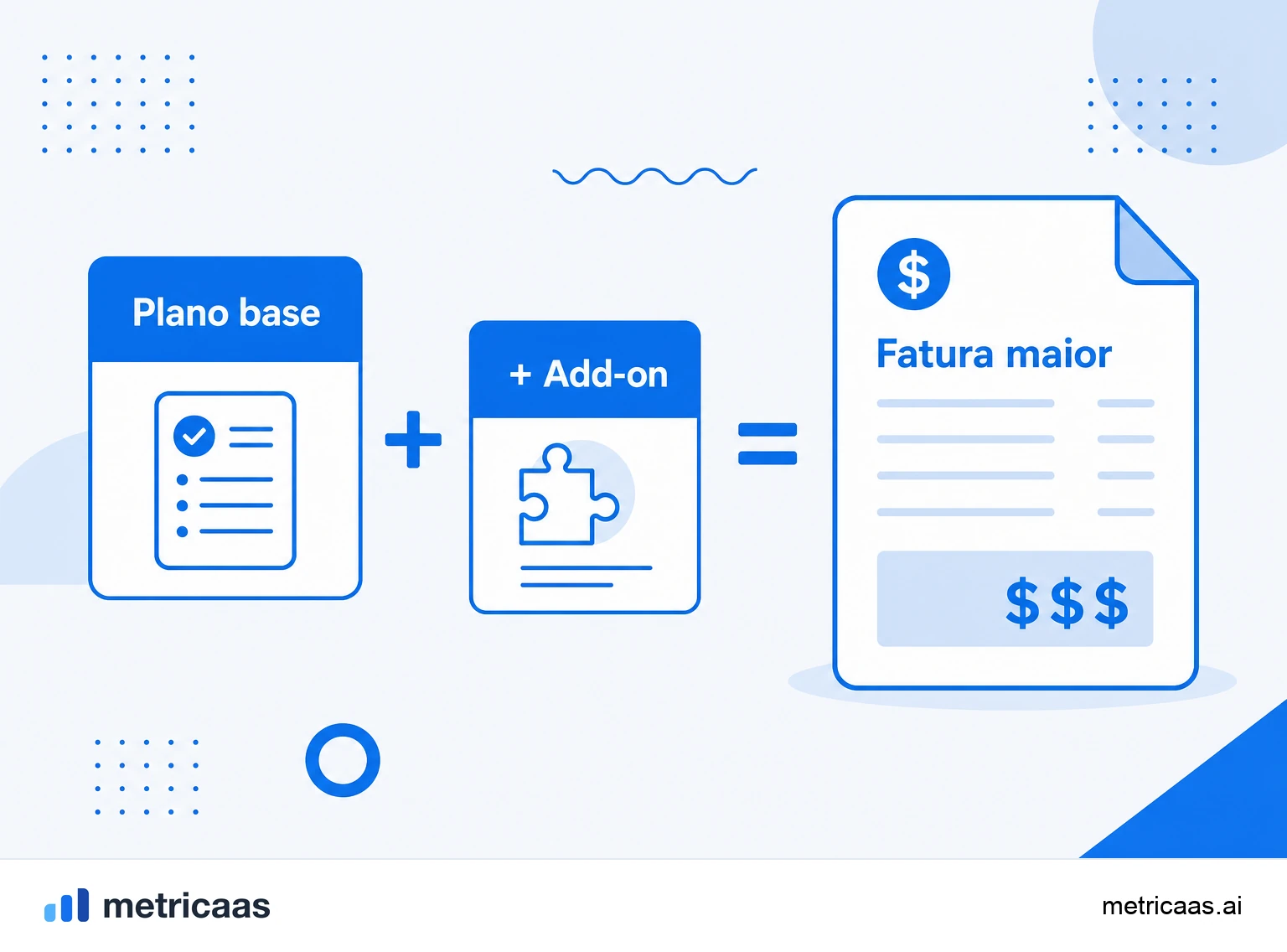
Um add-on é qualquer módulo, recurso ou capacidade que o cliente contrata por cima do plano base, pagando um valor adicional recorrente por ele. Assentos extras, um bloco maior de armazenamento, um relatório avançado ou um conector premium são exemplos clássicos: nenhum deles substitui o plano contratado, todos se somam a ele.
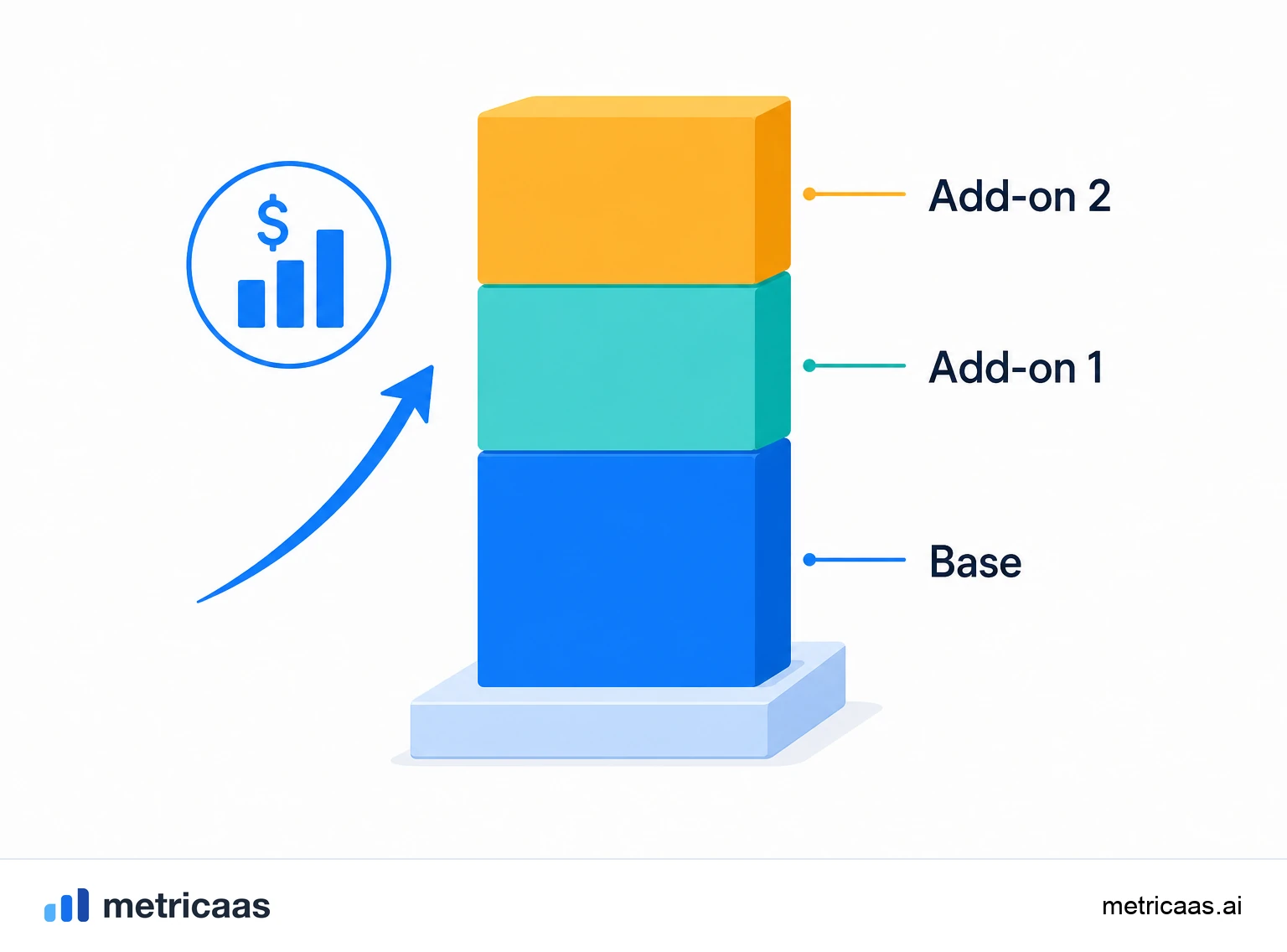
A ideia central é a precificação modular. Em vez de empurrar o cliente para um pacote fechado maior, o add-on deixa que ele monte a própria configuração e pague só pelo que realmente usa. Cada add-on ativo eleva o valor recorrente daquela conta e, portanto, o ARPA, alimentando a expansão da base sem depender de novos clientes.
Add-on, upsell e cross-sell: onde cada um entra
Os três são formas de crescer receita dentro da base, mas descrevem movimentos diferentes. O upsell leva o cliente para uma versão maior ou mais cara do que ele já tem, normalmente subindo de plano. O cross-sell vende um produto vizinho, muitas vezes de outra linha ou SKU. O add-on fica no meio: é uma peça extra contratada dentro do mesmo produto, sem mudar o plano de base.
- Upsell: mesma necessidade, tier maior (do plano Pro para o Business).
- Cross-sell: necessidade nova, produto vizinho.
- Add-on: incremento modular no produto atual (mais assentos, mais espaço, um recurso avulso).
Na prática, o add-on costuma ser a porta de entrada mais leve para a expansão, porque o cliente amplia o que já usa sem enfrentar a decisão maior de trocar de plano.
Tipos de add-on
Os add-ons costumam se organizar em algumas famílias, e reconhecê-las ajuda a desenhar o catálogo de forma coerente.
- Capacidade por unidade: assentos, usuários ou licenças extras, cobrados por quantidade.
- Limites e armazenamento: mais espaço, mais registros, mais chamadas de API ou volume de processamento.
- Recursos premium avulsos: um módulo de relatórios, single sign-on, automações avançadas ou um painel específico.
- Serviço e suporte: SLA prioritário, onboarding dedicado ou um gerente de conta.
Alguns desses add-ons têm preço fixo por mês, outros escalam com o consumo. O ponto comum é que todos representam receita recorrente adicional presa ao mesmo contrato do plano base.
Add-on ou upgrade de plano?
Add-on e upgrade de plano resolvem necessidades parecidas por caminhos distintos, e escolher o certo muda a experiência de compra. O upgrade reempacota tudo num tier superior: o cliente ganha um conjunto de melhorias de uma vez e passa a pagar o preço do plano maior. O add-on mantém o plano atual intacto e acrescenta apenas a peça que faltava.
A regra prática é simples. Quando a necessidade é pontual e específica (mais três assentos, um único recurso), o add-on tende a ter menos atrito e converter melhor. Quando o cliente já superou o plano em várias frentes, o upgrade costuma ser mais limpo do que empilhar dez add-ons. Bons catálogos usam os dois: o add-on captura a expansão incremental no curto prazo e sinaliza quando vale propor o salto de plano.
Como o add-on faz o MRR e o ARPA crescerem
Todo add-on ativado é uma expansão de receita: entra como acréscimo no valor recorrente daquela conta e, somado à base, empurra o ARPA para cima. Como não depende de conquistar um cliente novo, é uma das formas mais eficientes de crescer, já que o custo de aquisição já foi pago na venda inicial.
Esse é o motor por trás da retenção líquida de receita acima de 100%, quando a expansão da base supera o que se perde com cancelamentos e reduções. A pesquisa de SaaS privado do KeyBanc Capital Markets mostra justamente empresas com retenção líquida acima desse patamar, e um catálogo de add-ons bem desenhado é um dos caminhos diretos para chegar lá.
Como precificar e empacotar add-ons
Um bom add-on tem preço próprio, transparente e proporcional ao valor que entrega, sem canibalizar o plano base nem transformar a página de preços num labirinto. A referência recorrente do setor, defendida por gente como a OpenView em seus estudos de precificação, é usar uma métrica de valor clara: cobre por aquilo que cresce junto com o sucesso do cliente, como assentos ativos ou volume processado.
- Deixe cada add-on opcional e fácil de ligar e desligar, sem renegociar o contrato inteiro.
- Ancore o preço numa métrica de valor, não num custo interno arbitrário.
- Evite excesso de opções: poucos add-ons claros vendem mais do que um cardápio confuso.
- Acompanhe adoção e receita por add-on para saber qual merece virar parte do plano.
Bem calibrado, o add-on vira um mecanismo silencioso de expansão: o cliente cresce, monta o pacote no próprio ritmo e a receita acompanha esse crescimento sem fricção.
Perguntas frequentes
É um módulo, recurso ou capacidade cobrado além do plano base, como assentos extras, mais armazenamento ou um recurso premium avulso. Ele se soma ao plano em vez de substituí-lo.
O upsell leva o cliente para um plano maior ou mais caro. O add-on acrescenta uma peça avulsa dentro do mesmo plano, sem trocar de tier.
São vizinhos, mas não iguais. O cross-sell vende um produto de outra linha; o add-on é um incremento modular dentro do mesmo produto.
Para necessidades pontuais e específicas, o add-on costuma ter menos atrito. Quando o cliente já superou o plano em várias frentes, o upgrade tende a ser mais limpo.
Sim. Cada add-on ativo eleva o valor recorrente da conta, então o ARPA sobe e a base expande sem depender de novos clientes.
Assentos extras, mais armazenamento, chamadas de API adicionais, single sign-on, um módulo de relatórios avançados ou suporte com SLA prioritário.
Conceitos relacionados

Upsell
Upsell é levar um cliente que já usa o produto a um plano superior ou a mais volume do mesmo produto: mais assentos, um tier mais alto, um limite maior. É um dos principais motores da expansão e da receita que faz a NRR passar de 100%. Diferente do cross-sell, que vende um produto complementar, o upsell aprofunda o uso do que o cliente já contratou.

Cross-sell
Cross-sell (venda cruzada) é vender a um cliente que já usa um produto um segundo produto, módulo ou add-on complementar. Aumenta a receita por conta e a adesão, porque quanto mais produtos o cliente usa, mais caro fica sair, e tudo isso sem migrar de plano. Junto do upsell, é uma das duas alavancas da expansão da base.

Expansão
Expansão (expansion revenue ou expansion MRR) é a receita recorrente adicional que vem dos clientes que você já tem, sem depender de vendas novas. Ela nasce de upsell (plano maior), cross-sell (mais produtos), add-ons e crescimento de uso. É a força que empurra a retenção líquida acima de 100% e faz a base crescer sozinha.